
The following are the basic instructions for cleaning some common areas of Windows. This can help speed up performance as well as reduce the time it takes to run Virus and Spyware Scans and to Defrag the Computer |
|
|
Temp Directory |
|
| 1. | Click on the Start button |
| 2. | Select Run |
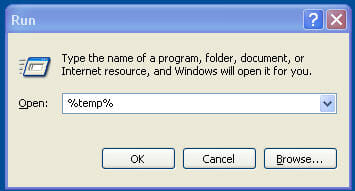
| 3. | Type in %temp% |
|
|
|
| 4. | Press the Enter key |
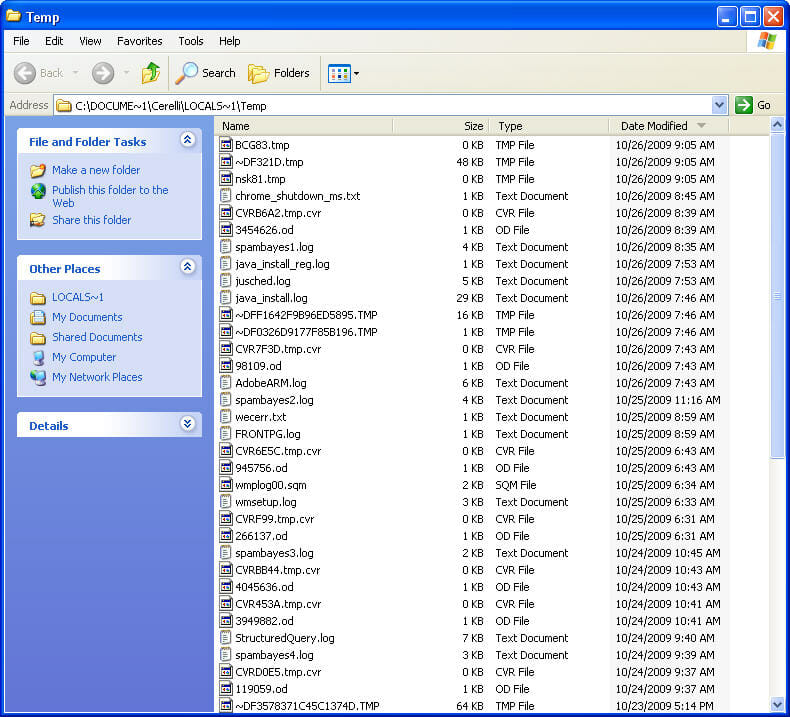
| 5. | Click on View / Details |
| 6. | Click on Date Modified |
| 7. | This will sort the files, the the oldest first |
|
|
|
| 8. | Select the oldest files and directories first. |
| 9. | Usually I highlight the latest directory or file, press and hold the Shift key, then arrow down to all but the latest directory or file. |
| 10. | Press Shift-Del to delete them (Shift-Del deletes them and does not send them to the Recycle Bin) |
| 11. | Since some files are used in the Temp directory by Windows, you may not be able to delete everything there. |
|
Windows Update Files |
|
| 1. | When you do a Windows update, what was being updated is left on the computer. Normally I delete these. |
| 2. | From the previous Window, click on Folders at the top |
| 3. | Navigate to the C:\Windows directory |
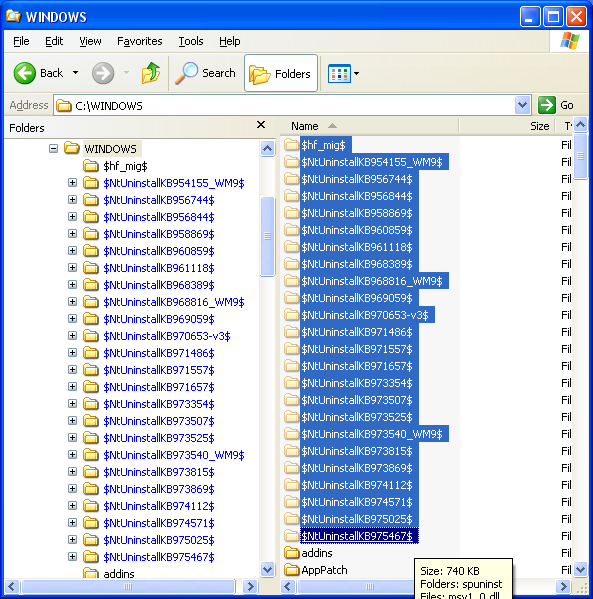
| 4. | Using the same Shift and Arrow key combination, highlight all the directories that start with $ ($hf_mig$ and all the $Nt ones) |
 |
|
| 5. | Make sure you are not selecting any directories below the $ ones. |
| 6. | Press Shift-Del to delete the entries |
|
Software Distribution / Download Directory |
|
| 1. | When the computer is downloads the updates from Microsoft, they are put in the C:\Windows\SoftwareDistribution\Download Directory |
| 2. | Once the updates are applied, you no longer need these files to be kept on the computer |
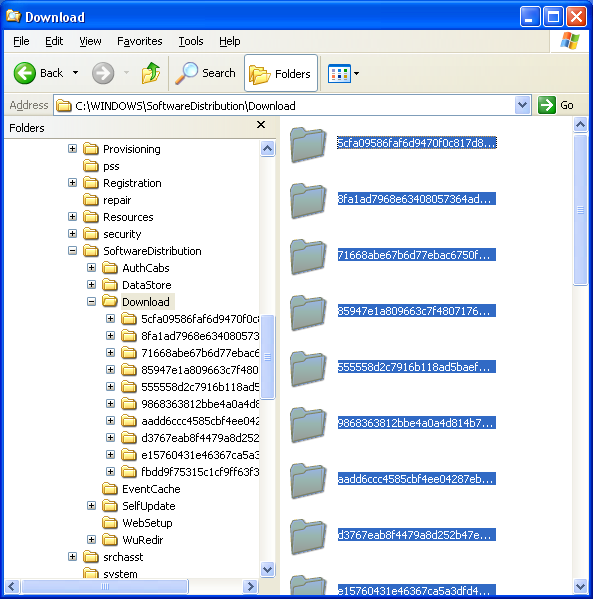
| 3. | From the previous window, navigate to the C:\Windows\SoftwareDistribution\Download Directory |
| 4. | Highlight one entry on the right side |
| 5. | Press Ctrl-A to highlight them all |
| 6. | Make sure only those entries in the appropriate directory are selected |
 |
|
| 7. | Press Shift-Del to delete the files |
| After all the files and directories have been cleaned, reboot the computer | |
This site is copyrighted. No portion may be reproduced without my written permission.


