
| The System Monitor is a program which allows you to view a wide variety of system resources. This can help with problem or performance determination on a local or remote computer. |
|
|---|---|
To Install the System Monitor |
|
| 1. | Open up the Control Panel |
| 2. | Double-click on the Add/Remove Programs icon. |
| 3. | Click on the Windows Setup tab |
| 4. | Double click on Accessories |
| 5. | Check System Monitor |
| 6. | Click on OK |
Using the System Monitor |
|
|---|---|
| To start System Monitor, run SYSMON.EXE. It is located in your Windows directory. | |
To add items you can monitor |
|
| 1. | Select Edit / Add |
| 2. | Select the Category and Item you want to monitor. To select more than one Item in a Category, hold the Ctrl key while you select with the mouse button. When you a finished, click on the OK button. |
 |
|
Changing the ViewYou can change the view of your chart to one of three types: |
|
Line Chart |
|
Bar Chart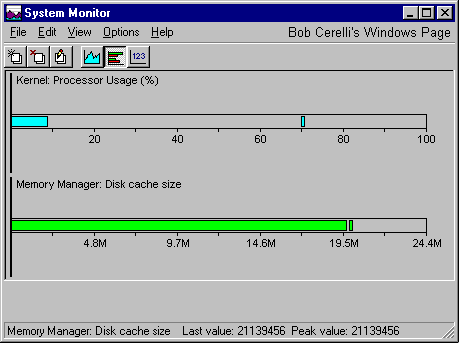 |
|
Numeric Chart |
|
List of Categories |
|
The following is a list of the Categories you can choose from. Within each one are numerous items.
|
|
To change the Update Frequency:
|
|
You can also monitor the performance of remote computers on a LAN.
|
|
This site is copyrighted. No portion may be reproduced without my written permission.


